
Write
Write notes
Formatting, checklists, tables, code, images and Markdown shortcuts.
Open any idea or note to edit it. Changes save as you type.
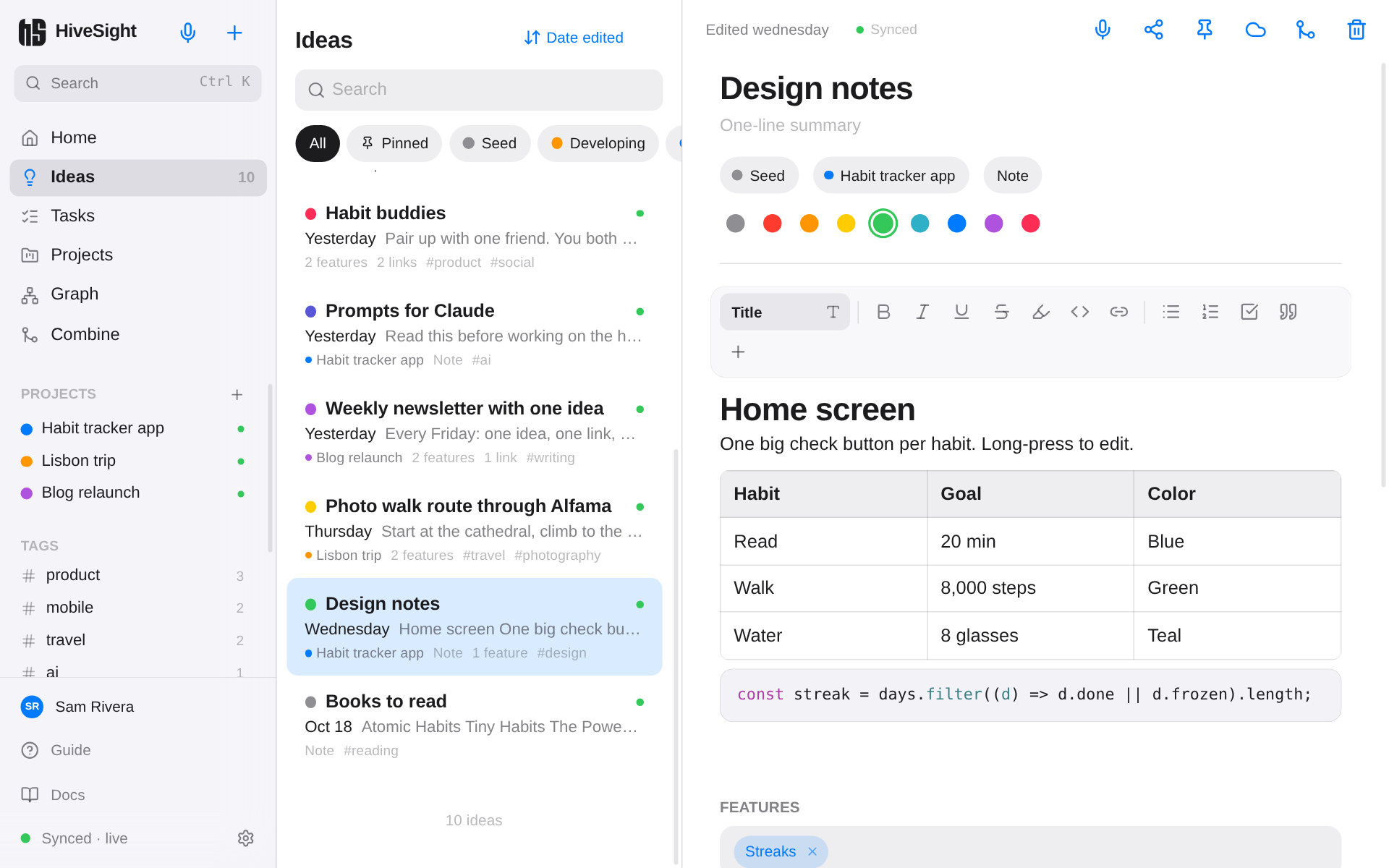
Formatting
Use the formatting bar, or select text to get the quick menu. You get:
- Title, Heading and Subheading styles
- Bold, italic, underline,
strikethrough, highlight and links - Bullet lists, numbered lists and checklists
- Quotes, code blocks with syntax colors, tables and dividers
- Images
Markdown shortcuts
Type these at the start of a line:
| Type | You get |
|---|---|
# then space |
Title |
## then space |
Heading |
- then space |
Bullet list |
1. then space |
Numbered list |
[ ] then space |
Checklist |
> then space |
Quote |
``` |
Code block |
Notes are stored as standard Markdown, so they copy cleanly into other apps.
Checklists
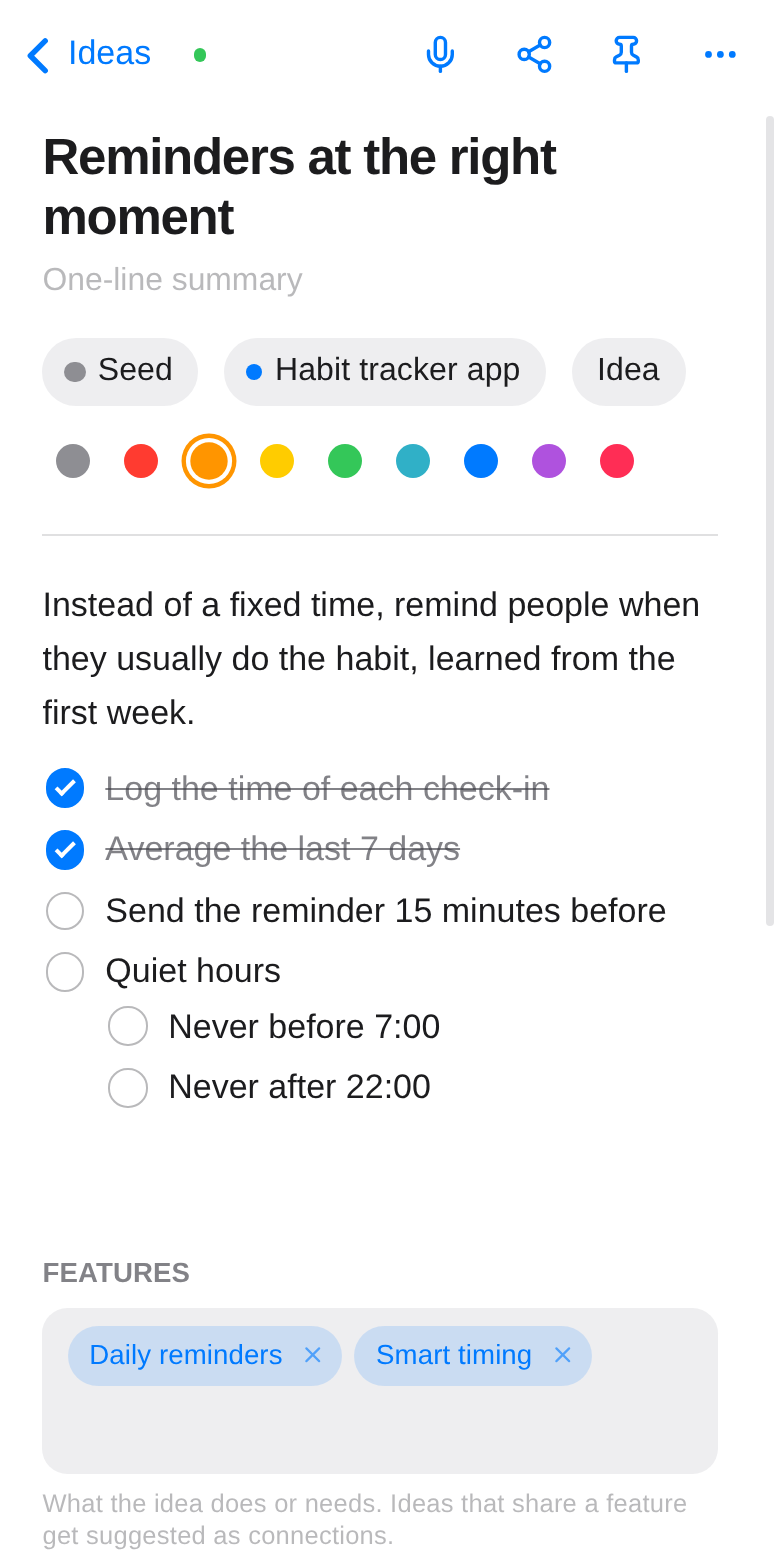
- Tap a box to tick it.
- Enter adds the next item. At the end of an item that has sub-items, Enter starts a new sub-item right below it.
- Tab indents an item; Shift+Tab or Backspace at the start moves it back a level.
- Paste several lines into a checklist (or turn lines into one) and each line becomes its own item. Indented lines become sub-items.
Images
Add an image with the image button, by pasting, or by dragging it in. Images are shrunk on your device (a phone photo becomes about 200–400 KB), kept for offline use, and synced like everything else. Each can be up to 4 MB.
The editor's top bar
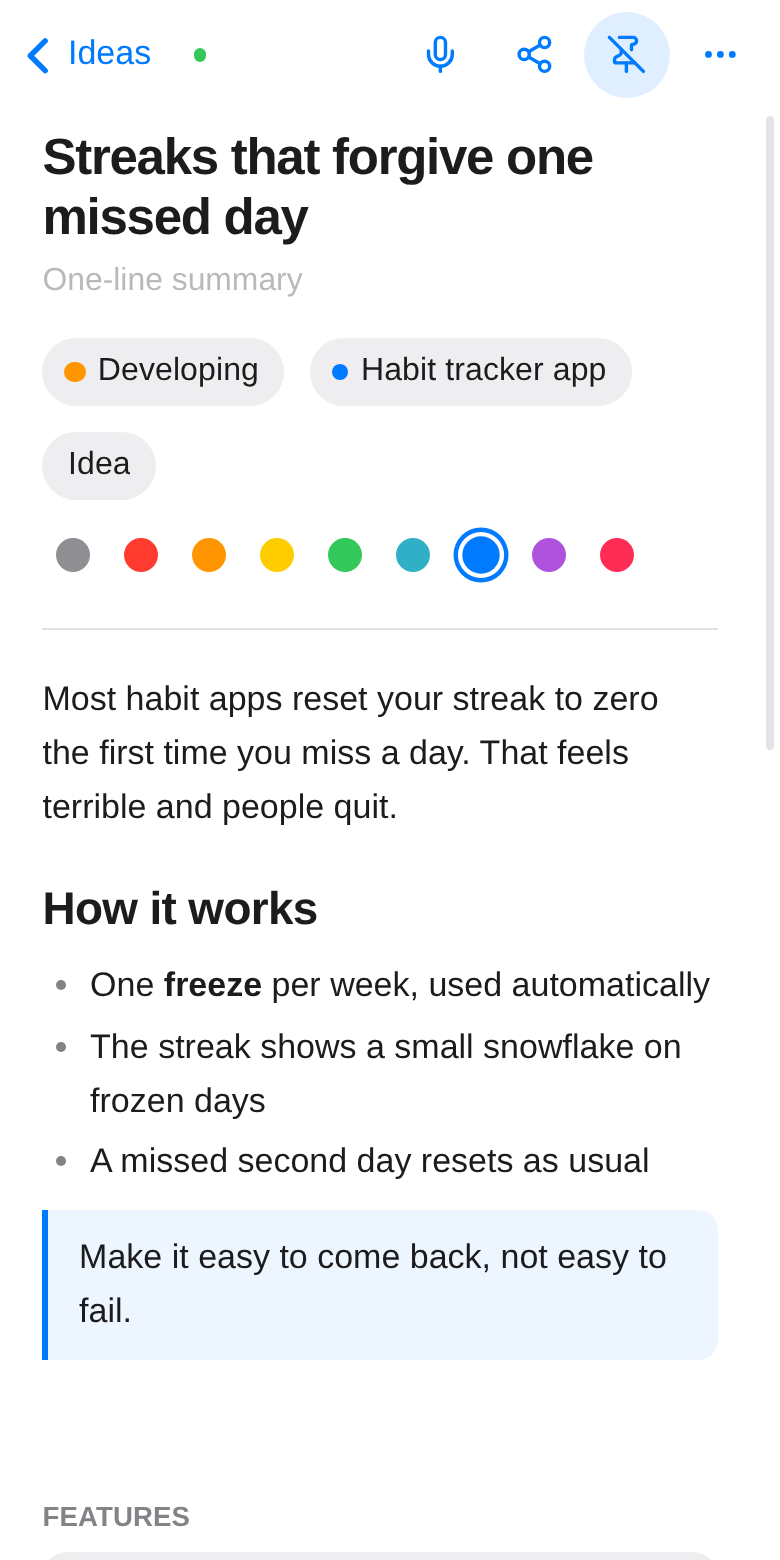
From left to right on a phone: back, the sync dot, dictate, share, pin, and ⋯ for more (sync on/off, combine, delete). On a computer they're all shown in a row.
Under the title you can set the status, the project, Idea or Note, and a color. Below the text are features, tags and connections, explained in Organize and Connections and graph.