
Sync and share
Sharing
Share one idea, or a whole project, and edit it together live.
Sharing gives other people one idea or one project, not your whole vault. They get it in their own HiveSight, and edits sync both ways.
Share one idea
- Open the idea and tap share (the < icon at the top).
- Check Your name: it's shown next to your changes.
- Tap Create share links.
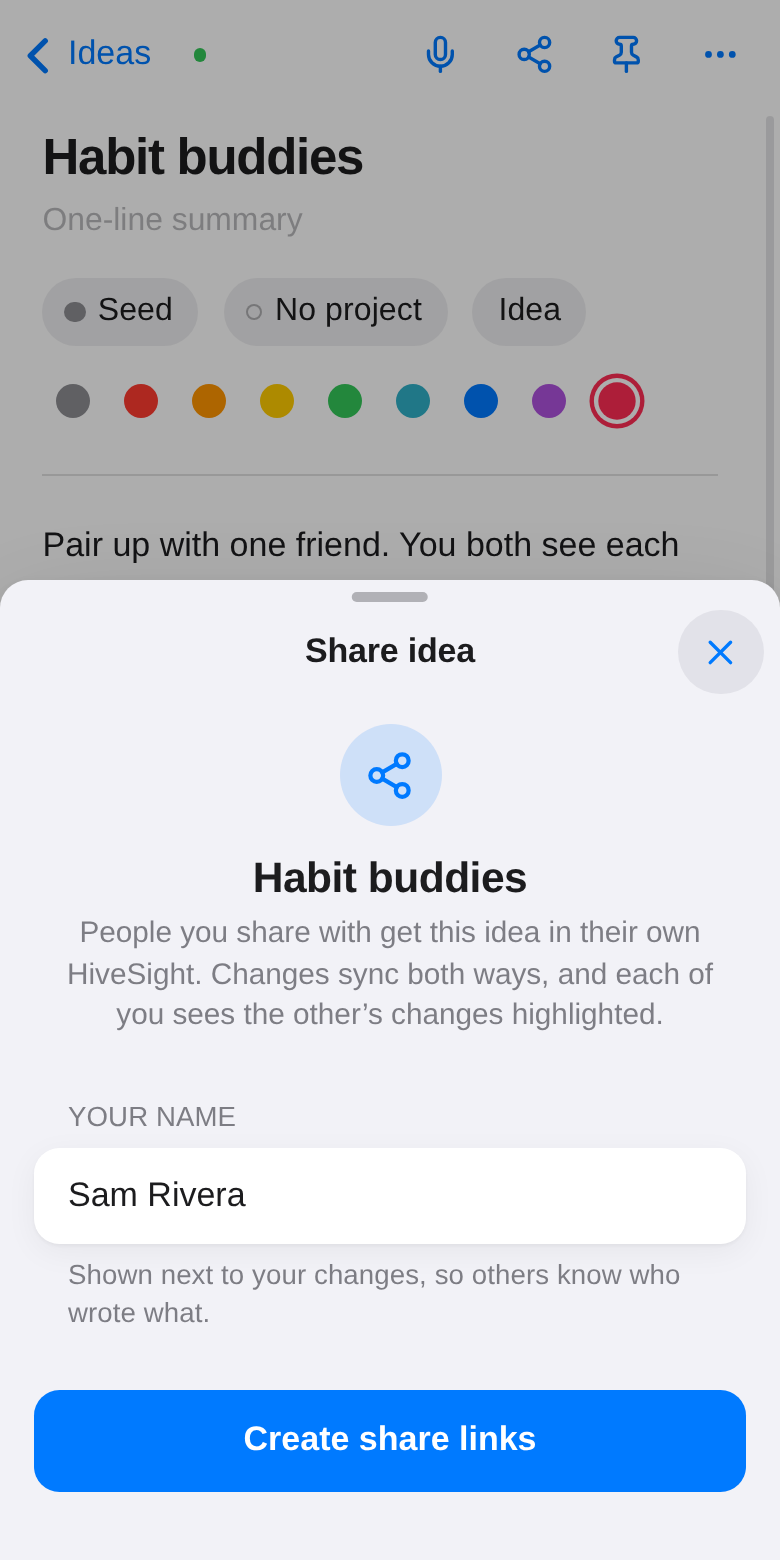
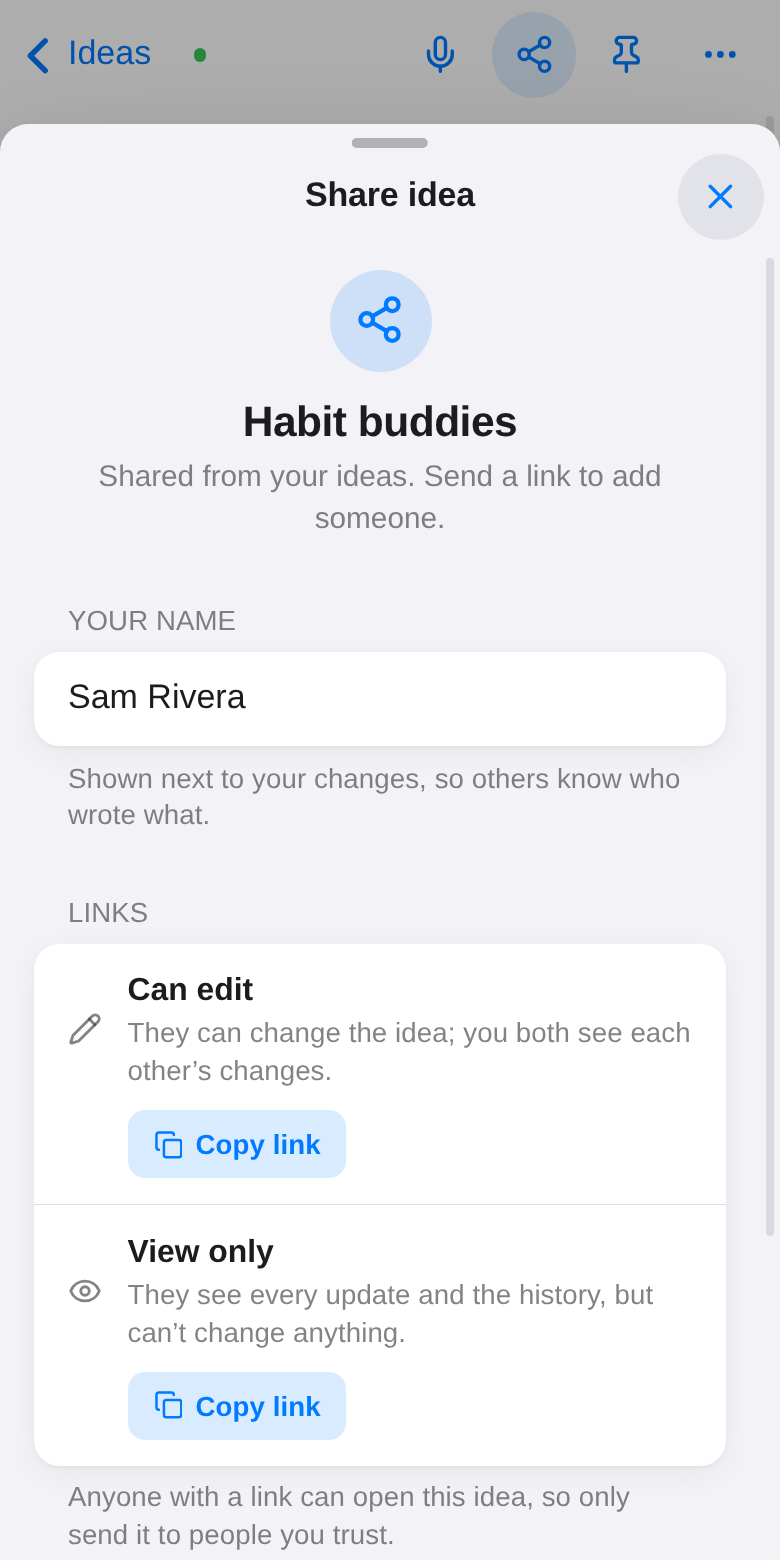
You get two links:
- Can edit: they can change the idea, and you both see each other's changes.
- View only: they see every update and the history, but can't change anything.
Anyone with a link can open the idea, so only send it to people you trust.
Working on it together
- Two people typing at once don't overwrite each other: changes are merged line by line.
- Who wrote what: everyone's words are underlined in their own color. The highlighter button turns this off.
- What's new: words added since you last looked are highlighted until you tap Mark as seen.
- History: everyone sees the same list of who changed what, and when.
- People: avatars at the top right show who's in the idea, with a green dot while they have it open. You see their cursor with their name. Tap someone to jump to their cursor, or, if they're away, to the last thing they changed.
Share a whole project
On a project, tap Share. You get the same edit and view-only links, for the project with all its ideas, notes and tasks.
- Ideas added to the project later, by anyone who can edit, are shared too.
- Ticking a task shows up for everyone.
Stop sharing
Open the share sheet again to stop sharing. Everyone keeps their copy, but updates stop. Deleting a shared idea only removes your copy.