Organize
Organize ideas
Statuses, pins, tags, features, filters and sorting.
Statuses
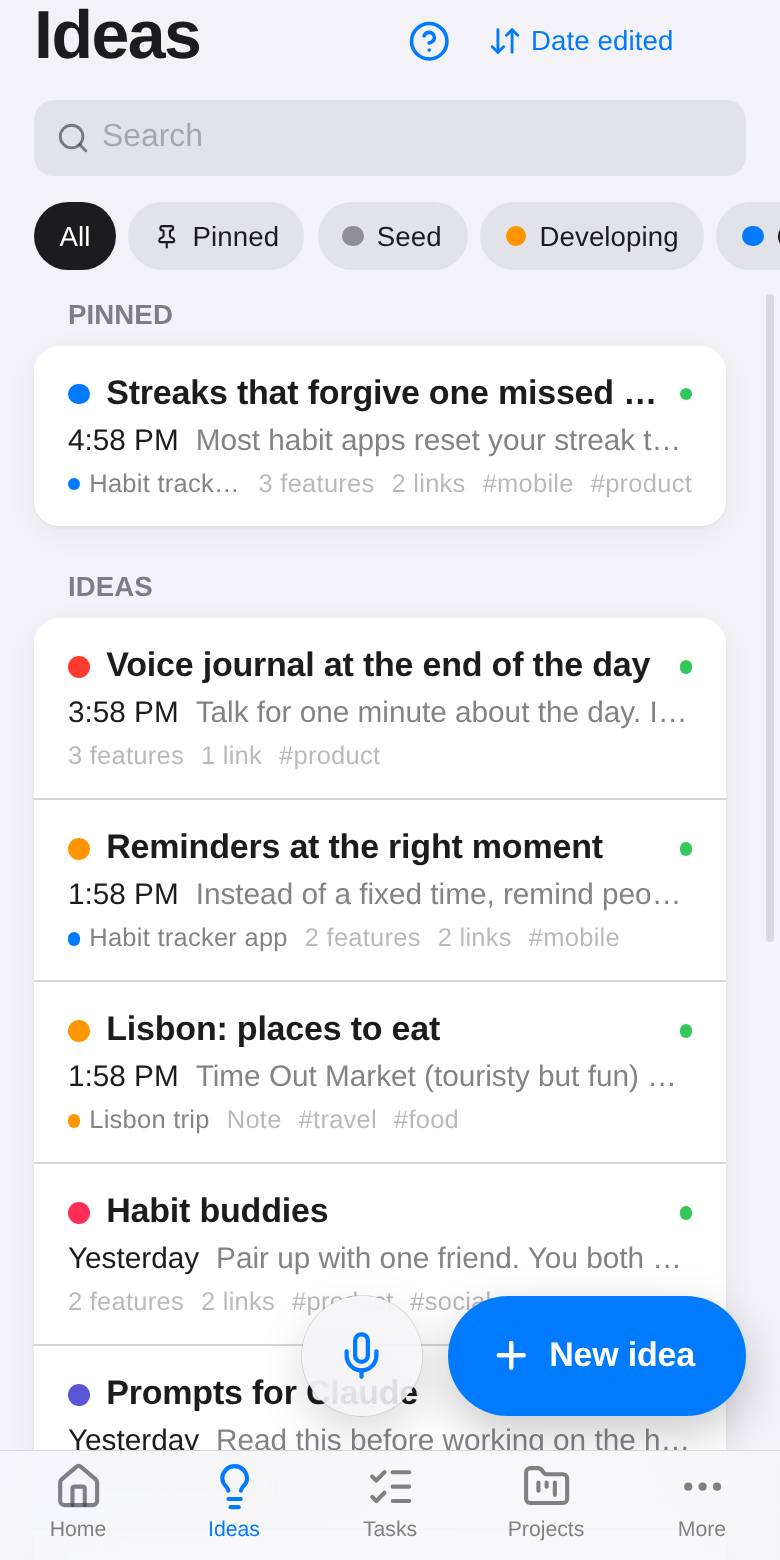
Every idea has a status, shown as a colored dot. Change it from the chip under the title.
| Status | Means |
|---|---|
| Seed | A raw first thought |
| Developing | Being worked out |
| Connected | Linked to other ideas |
| Combined | Made by combining ideas |
| Archived | Parked for now |
Filter the list by status with the chips at the top.
Pins
Pin the ideas you come back to most (the pin button in the editor). They stay at the top of the list, in Pinned, and on the Pinned widget on Home.
Tags and features
- Tags group ideas by topic:
#travel,#work. Tap a tag (in the sidebar on a computer) to see only those ideas. - Features describe what an idea does or needs: Voice input, Offline-first. Ideas that share a feature are suggested as connections and drawn together in the graph.
Sorting
Tap the sort button at the top right of the list: Date edited, Date created, Title, or Most connected.
Colors and projects
Give an idea a color to make it easy to spot, and put it in a project to keep related ideas, notes and tasks together.
Delete
On a phone, swipe an idea to the left in the list. Or use ⋯ → Delete in the editor (the trash button on a computer). Deleting shows an Undo for a few seconds. Deletions sync to your other devices too.