
Organize
Home and widgets
A dashboard of widgets you arrange yourself.
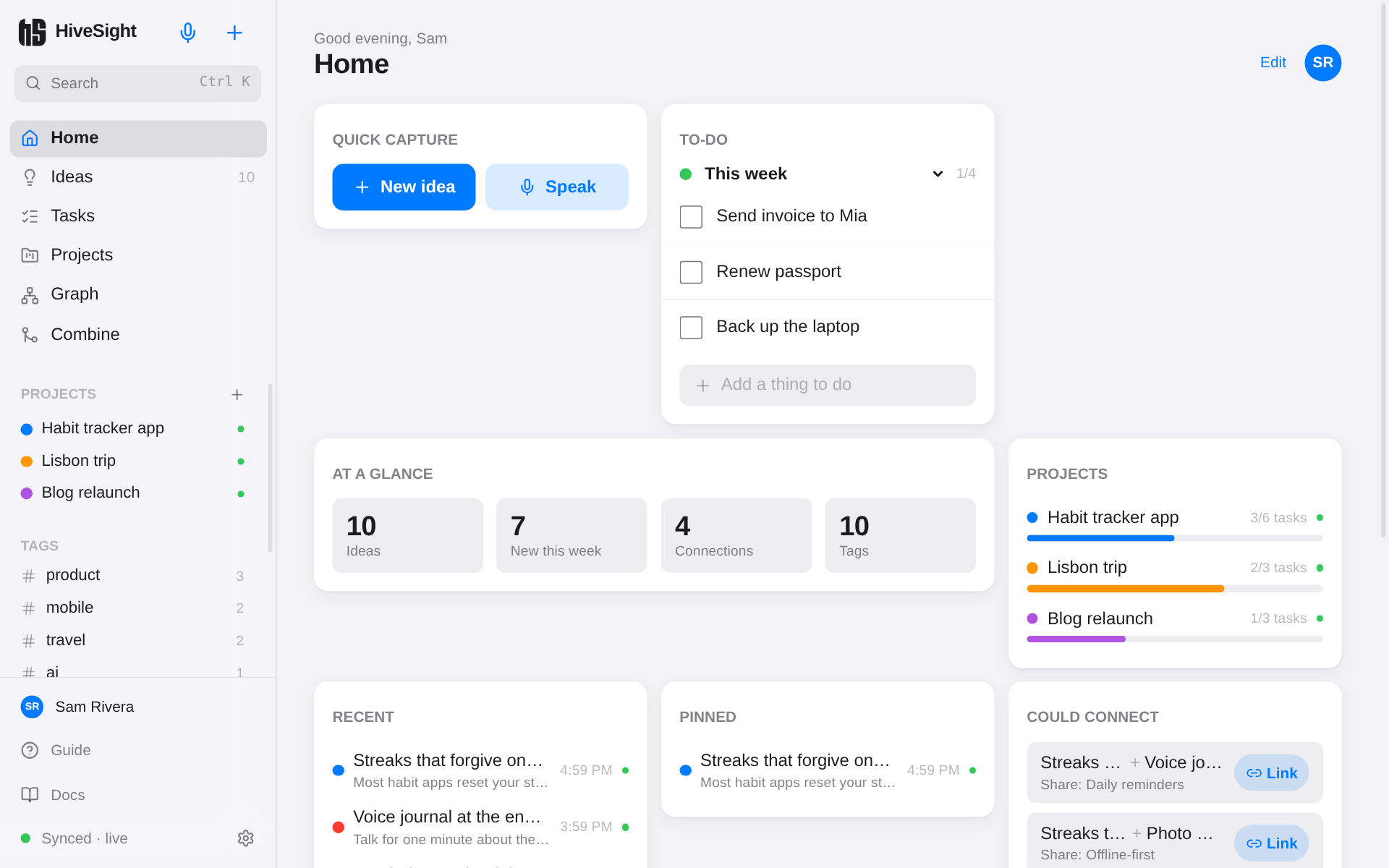
Home is a dashboard: quick capture, your to-do list, projects, recent ideas and more, all on one screen.
The widgets
| Widget | Shows |
|---|---|
| Quick capture | Start a new idea or speak one |
| To-do | A to-do list you can tick off right there |
| At a glance | How many ideas, links and tags you have |
| Projects | Your projects and how far along their tasks are |
| Recent | The ideas you edited last |
| Pinned | Ideas you pinned |
| By status | How your ideas are spread across statuses |
| Top tags | Your most used tags |
| Revisit | An idea you haven't touched in a while |
| Could connect | Unlinked ideas that share a feature, with a one-tap Link |
Arrange them
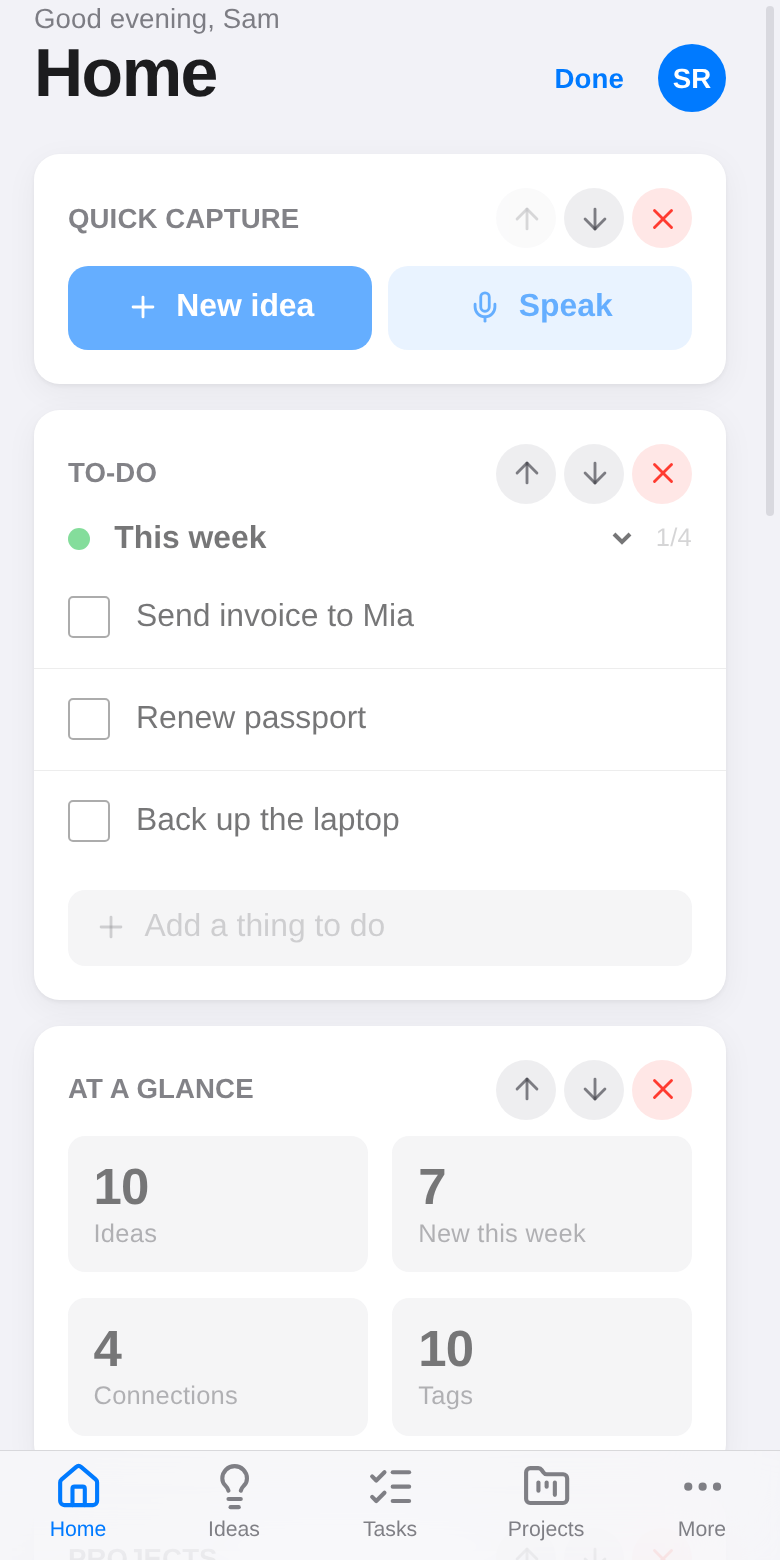
Tap Edit at the top of Home. Use the arrows to move widgets up or down, × to remove one, and the list at the bottom to add widgets back. Tap Done when you're finished.
Each device keeps its own layout, so your phone and laptop can show different things.