
Connect
Connections and graph
Link ideas and see how they relate on a map.
Connections
Ideas get connected two ways:
- Suggested: ideas that share a feature are suggested as connections. Accept them in the editor's Connections section or with Link on the Could connect widget.
- By hand: in an idea's Connections section, choose any other idea to link to.
The graph
Open Graph for a map of all your ideas, like Obsidian's graph view.
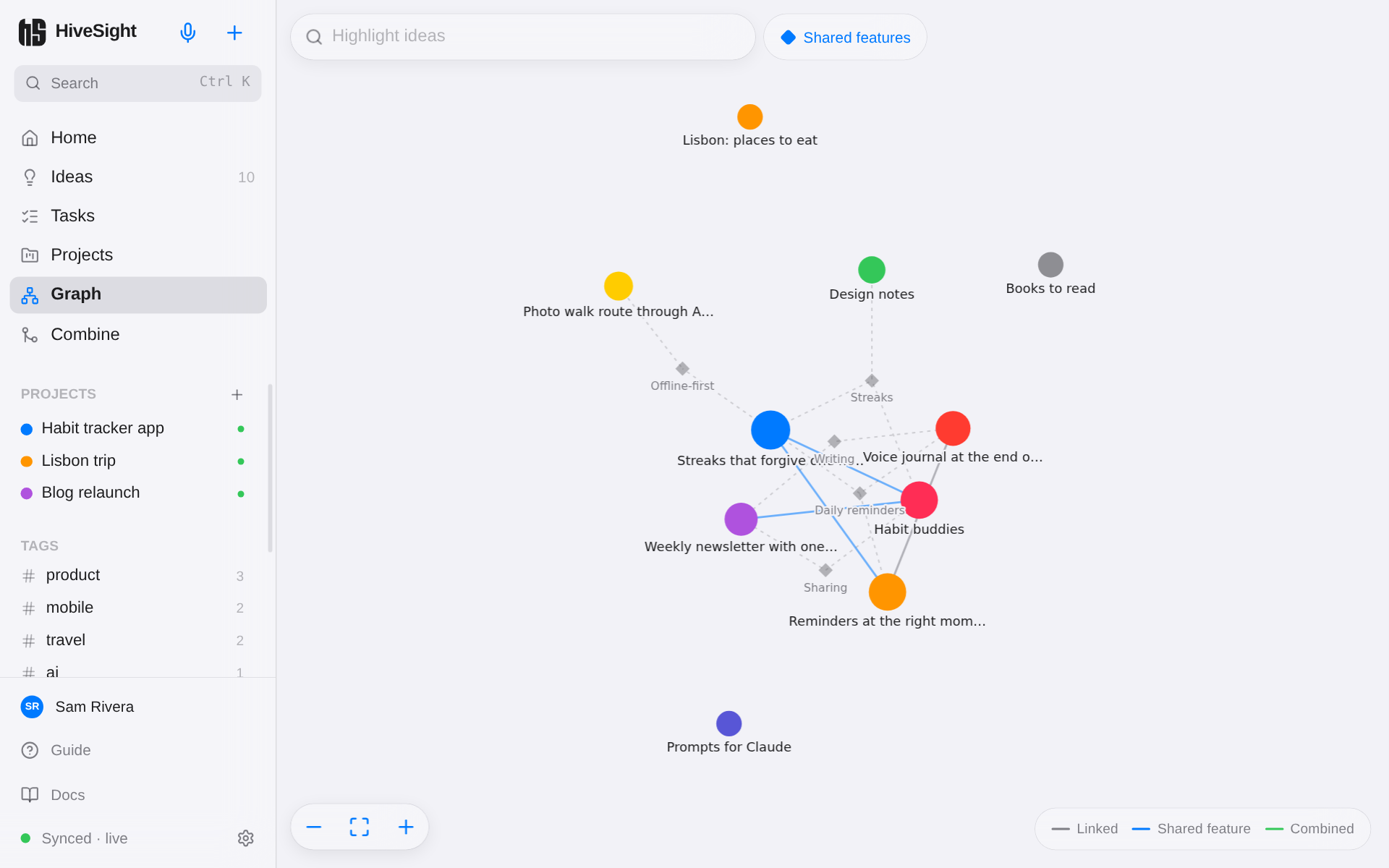
- Dots are ideas, in their own color.
- Small diamonds are shared features that bridge ideas. Turn them on or off with Shared features.
- Lines show the kind of link: gray for linked by hand, blue for a shared feature, green for combined.
- Drag to move around; scroll or pinch to zoom; the buttons at the bottom zoom and fit everything on screen.
- Tap an idea to see its details and open it. Highlight ideas at the top dims everything that doesn't match your search.